Try it with Google Colaboratory
Learn how to document a model with ValidMind on Google Colaboratory.
Before you begin
Google Colaboratory (Colab) is a free Jupyter Notebook environment that runs in the cloud. You can work with, run, and download our sample Jupyter Notebooks from there.
About our Jupyter Notebooks
- Notebooks from ValidMind are safe to run — If you get a warning that this notebook was not authored by Google, we welcome you to inspect the notebook source.
- Runtime errors — We recommend that you not use the Run all option. Run each cell individually to see what is happening in the notebook. If you do see errors, re-run the notebook cells.
Steps
Open the QuickStart notebook in Google Colaboratory:

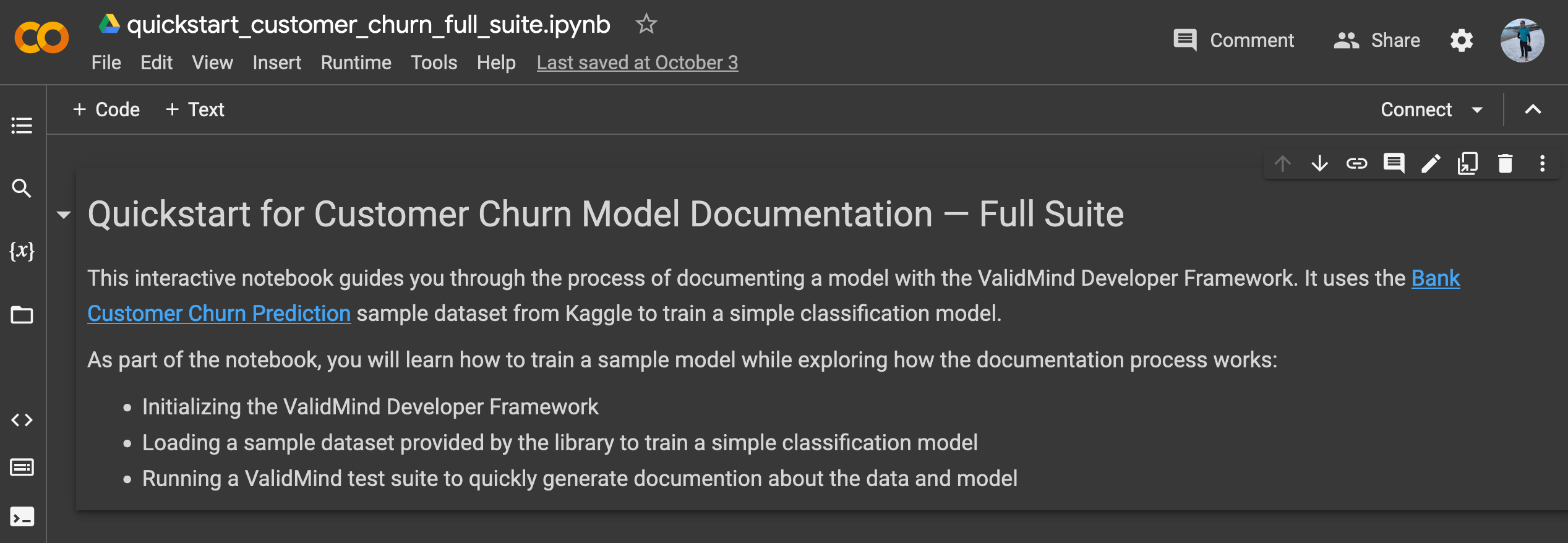
QuickStart notebook opened in Google Colab The notebook will guide you through installing the ValidMind Developer Framework, initializing the Python environment, and finally initializing the ValidMind Client Library by connecting to the ValidMind Platform UI.
Click File > Save a copy in Drive to make a copy of the QuickStart notebook so that you can modify it.
Alternatively, you can download the notebook source and work with it in your own developer environment.
Follow the instructions to run the first two code cells in the notebook, which will set the stage by installing and initializing ValidMind.1
Under the cell at bottom of the Initialize the client library section, confirm that you see a success message that looks something like this:
2024-10-08 22:06:42,610 - INFO(validmind.api_client): 🎉 Connected to ValidMind!
📊 Model: [Demo] Customer Churn Model (ID: clwqy70qd01my22ikc49paar9)
📁 Document Type: model_documentation
This message verifies that the developer framework works as expected as is connected to the correct model within the platform UI.
You can now continue running the rest of the cells if you want to see how the demo notebook works or, to save some time, you can move on to the Explore sample model documentation to explore the platform UI.
What’s next
Continue with Explore sample model documentation to learn more about using the ValidMind AI risk platform hands-on.