November 9, 2023
Release highlights
This release introduces support for several new models, a new user onboarding guide and other UI enhancements, and improved test descriptions in our user-facing documentation.
ValidMind Developer Framework (v1.23.0)
Support for regression models
The ValidMind Developer Framework has added support for regression models. The updates include:
- Addition of new tests,
ErrorsandR-squared, to support regression model evaluation - Use of existing tabular dataset tests for data validation
Support for clustering models
The ValidMind Developer Framework has added support for clustering models. The updates include:
- Addition of new tests,
ClusterPerformanceMetrics,ClusterSizeDistribution,SilhouettePlot,HyperParametersTuning, andKMeansClustersOptimization, to support clustering model evaluation
Support for embeddings models
We added initial support for text embeddings models in the ValidMind Developer Framework which enables you to create, use and test a BERT embeddings model utilizing the Hugging Face library. The updates include:
- A new folder in
model_validationtests for embeddings, along with initial versions of tests for text embedding models - Support for
feature_extractiontasks in the Hugging Face model wrapper of the ValidMind Developer Framework
ValidMind Platform UI (v1.9.0)
New onboarding guide
To help you familiarize yourself with the features available in the ValidMind platform, a new onboarding guide is now available to all users.
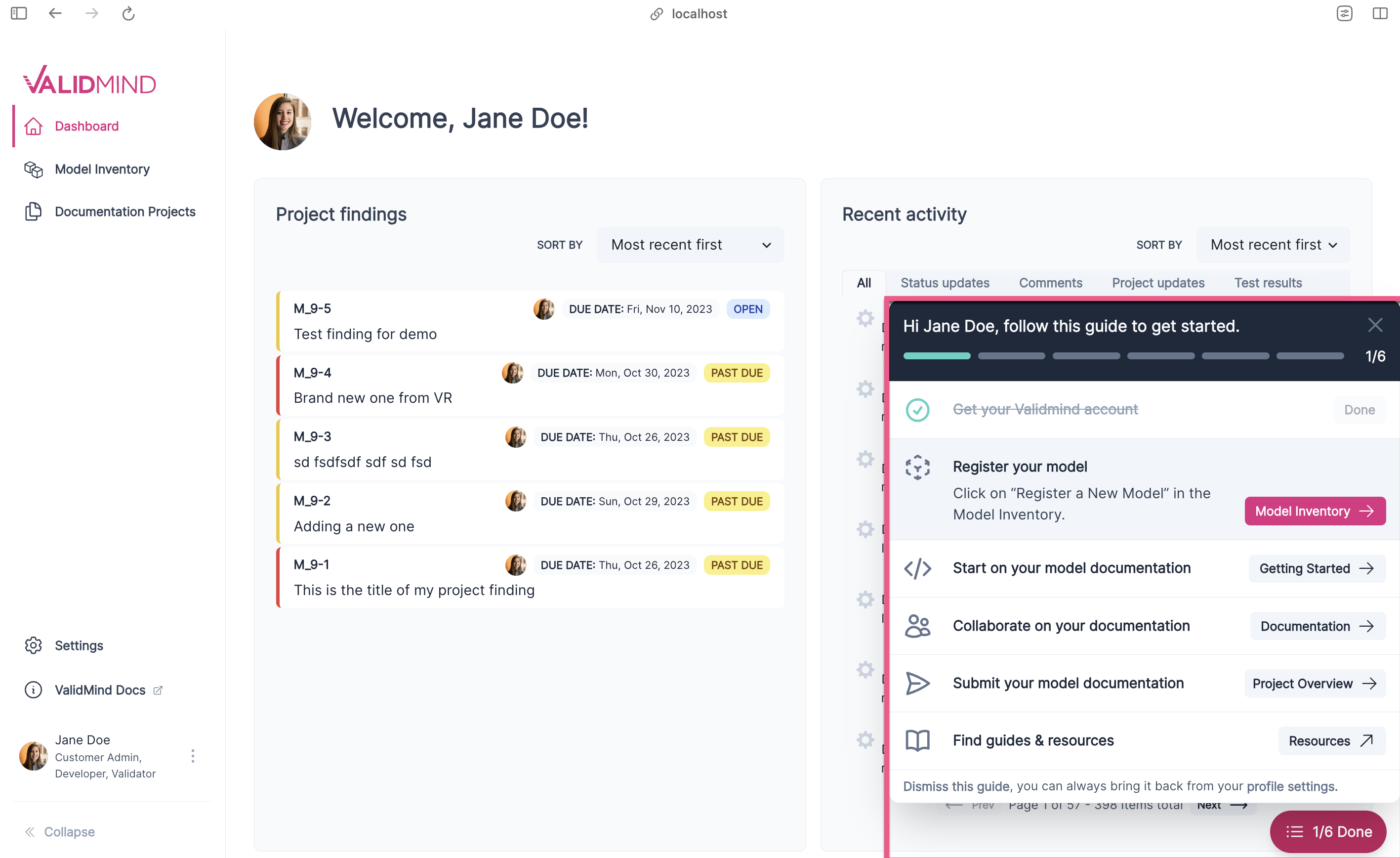
The onboarding guide tracks six common tasks that can be completed in almost any order:
- Get your ValidMind account
- Register your model
- Start on your model documentation
- Collaborate on your documentation
- Submit your model documentation
- Find guides & resources
You can hover over each task for more details. The guide can be minimized, leaving a trigger in the bottom right corner, or dismissed entirely. To reactivate the guide, go to Settings > Profile.
New Model Inventory display options
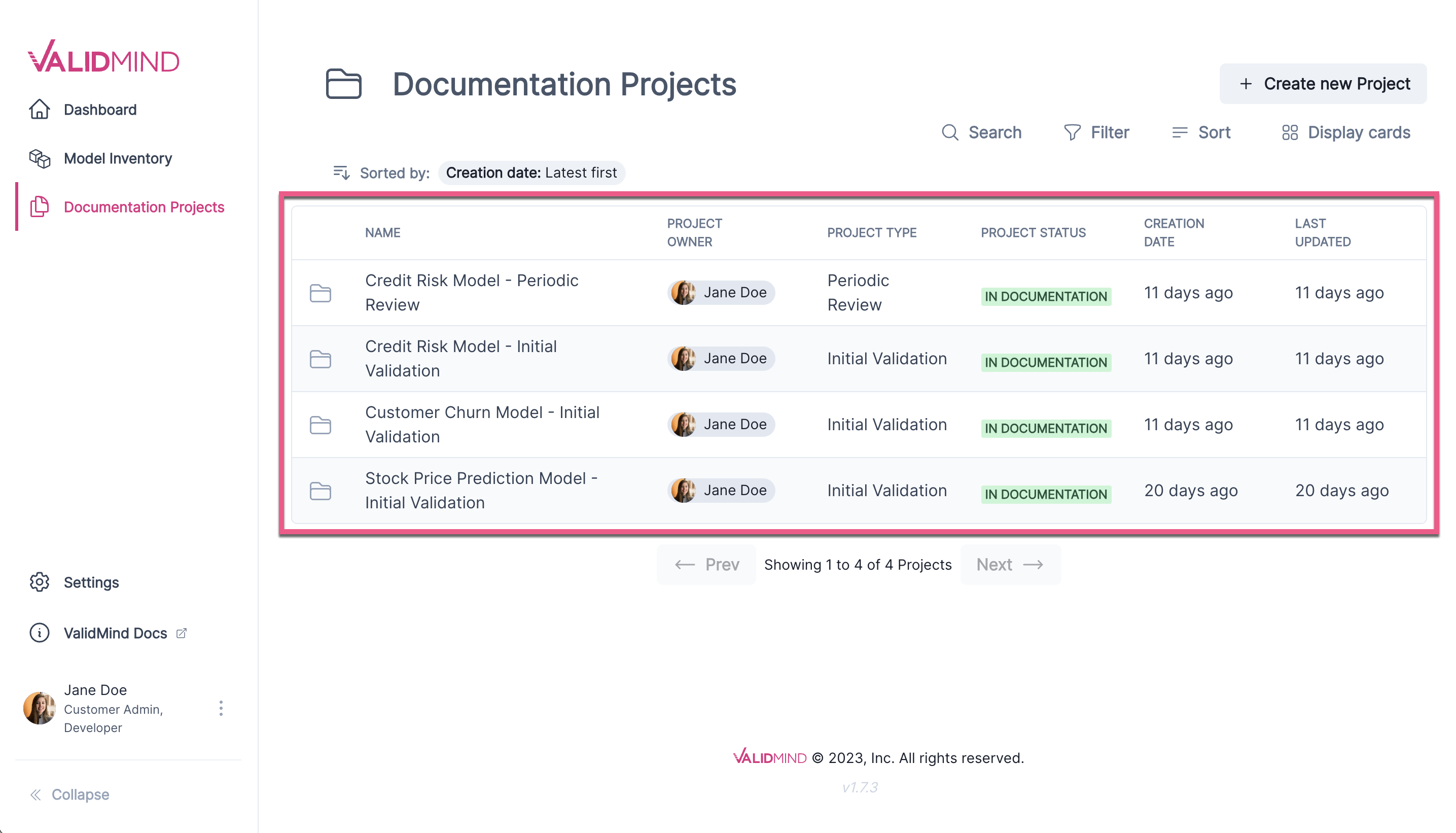
We’ve introduced new display options for the Model Inventory page.
Table view — Offers a detailed, structured layout that simplifies comparison.
Card view — Provides a visual, summarized presentation.
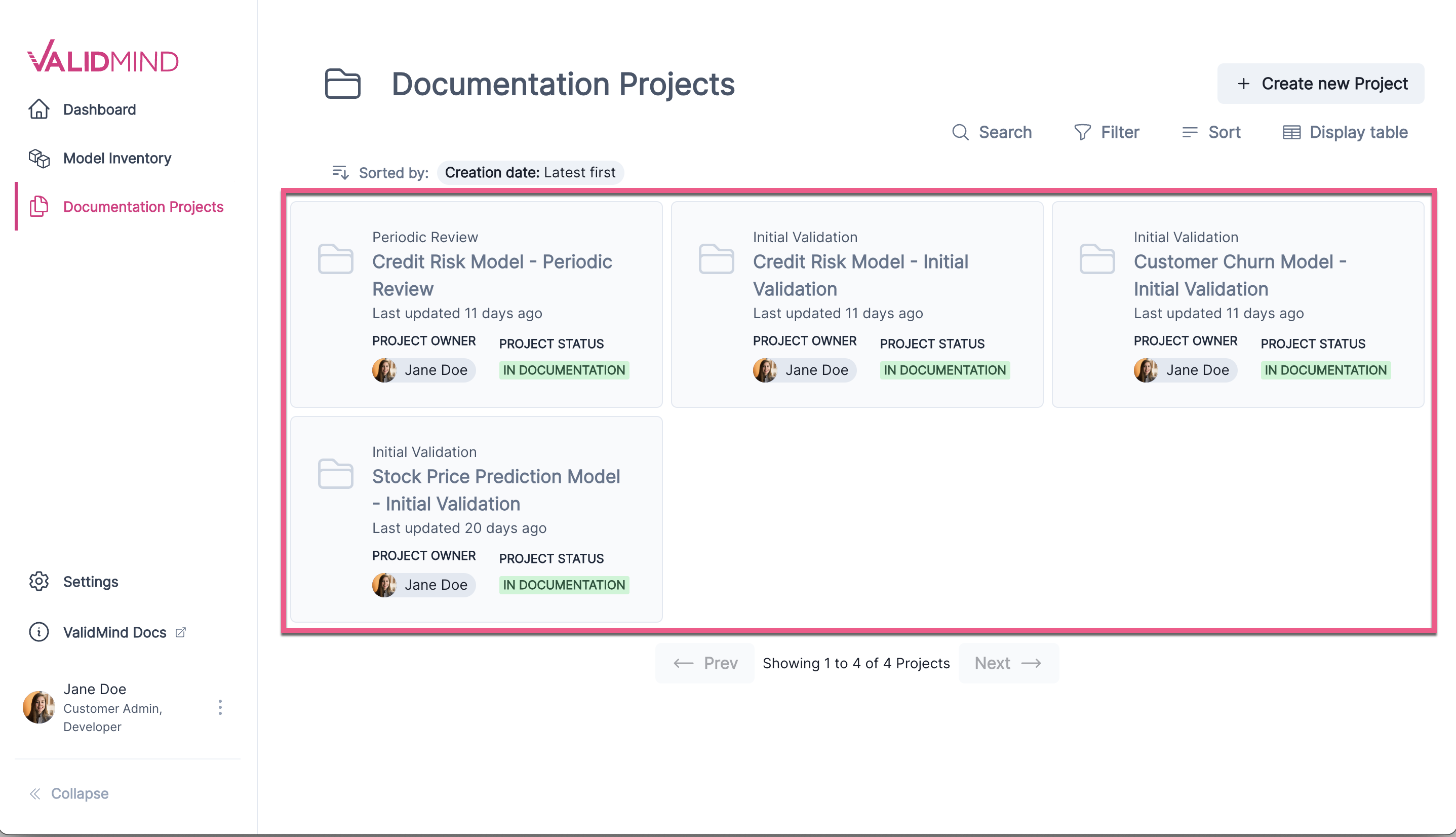
You can easily switch between views using the Display Table or Display Cards toggle in the top-right hand corner.
Documentation updates
Enhanced test descriptions
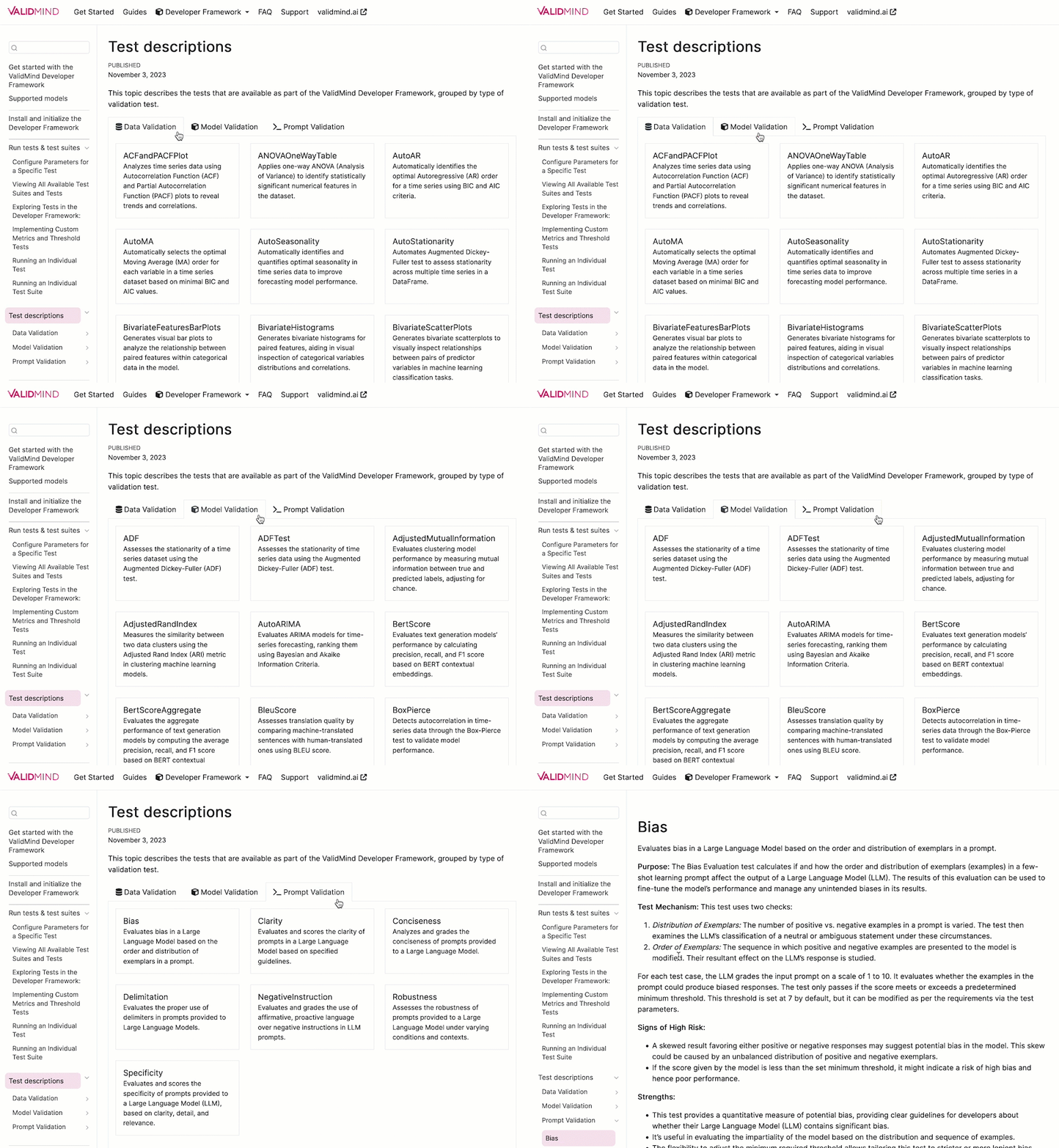
- We have improved the descriptions for tests available in the ValidMind Developer Framework, together with a new landing page that allows for easy browsing of all tests.
- Additionally, our documentation site search now indexes these descriptions to make them easier to find.
How to upgrade
ValidMind Platform UI
To access the latest version of the ValidMind Platform UI,1 hard refresh your browser tab:
- Windows:
Ctrl+Shift+RORCtrl+F5 - MacOS:
⌘ Cmd+Shift+ROR hold down⌘ Cmdand click theReloadbutton
ValidMind Developer Framework
To upgrade to the latest version of the ValidMind Developer Framework:2
In your Jupyter Notebook:
Locate the
%pip install -q validmindcell and replace the contents with:%pip install --upgrade validmindRun the edited code cell.
You may need to restart your kernel after running the upgrade package for changes to be applied.